

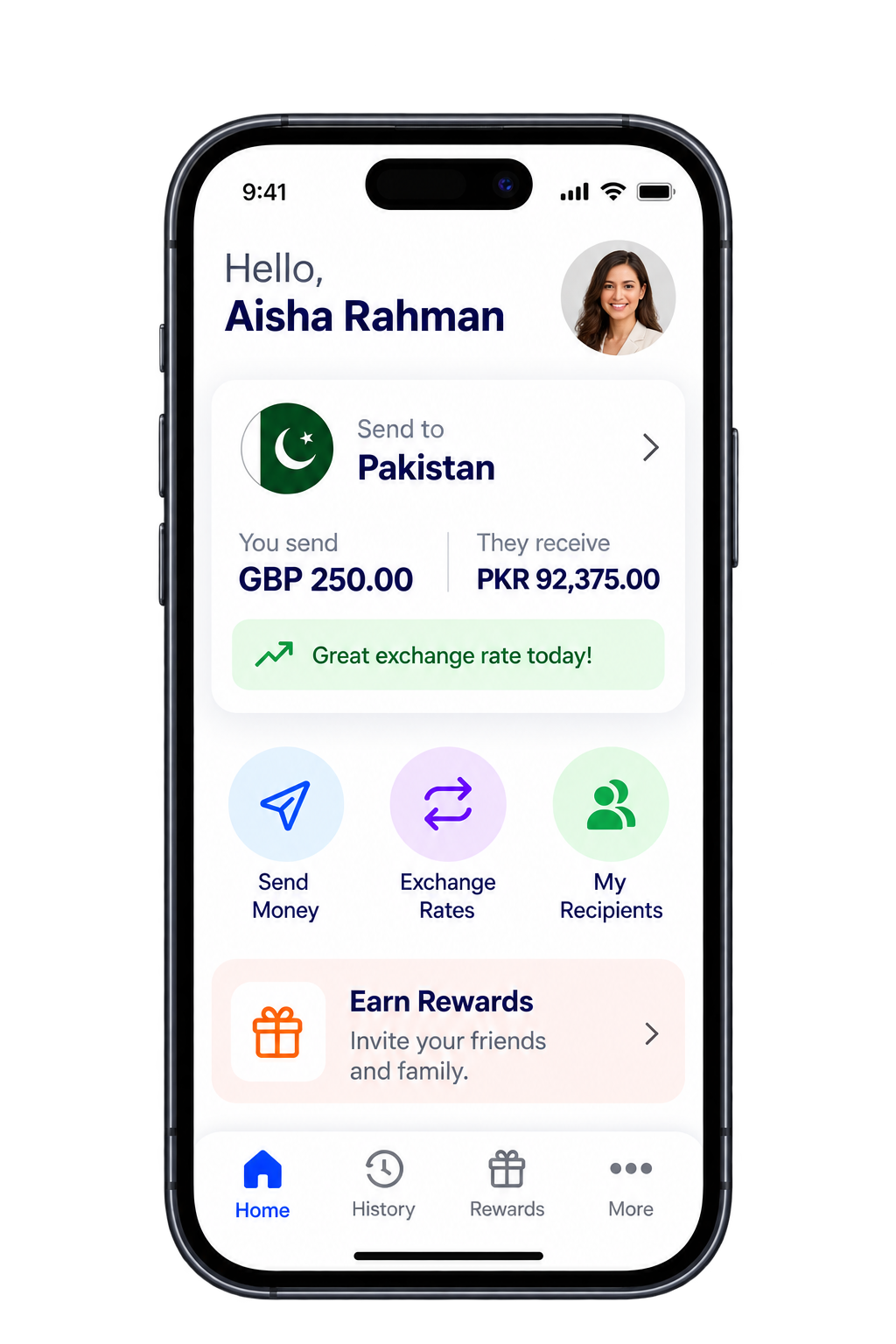


Send money directly from
our mobile app.
Get instant transaction status updates and secure payments every time you
send money. Stay informed with personalized exchange rate alerts
for the best value on your transfers.
A hassle-free way to
send money!
With our services, you can send money online 24/7. All from the power of your fingertips! You can create a transfer with these simple steps:
- Select a country.
- Add your detail.
- Add the detail of your recipient.
- Hit send.
That’s all it takes! Let’s get started

Safe & Secure
Rest assured; we hold our customers safety with the utmost importance. That’s why we implement the industry’s highest security protocols.

100% Satisfaction
Backed by 5000 five-star reviews, our services are built around needs and wants of our customers. We aim to exceed your expectations.
Frequently Asked
Questions
Check out the queries below for more information.
How do I send money online?
- 1. Create an account using our website or mobile app.
- 2. Complete your profile with basic details and required documents.
- 3. Choose the destination country, and desired payout option, and enter the receiver’s details.
- 4. Pay for the transaction using your Debit/Credit Card or your Bank Account.
What are sending methods?
You can send money online using Visa, Mastercard, or any major debit card. If you prefer a faster and more convenient checkout, you can also pay through Apple Pay or Google Pay when using the De Money Transfer app.
How can I create a transaction?
To create the transaction, you need to Login your account and once the dashboard opens follow these simple steps:
- 1. Click on send money.
- 2. Choose Destination Country.
- 3. Select payout option, i.e., Cash Pick up, Bank Deposit, or Wallet.
- 4. Select payout location (Bank etc).
- 5. Enter amount.
- 6. Create or choose Beneficiary.
- 7. Confirm Bank details (For bank deposit only).
- 8. Select payment method.
- 9. Confirm the Payment
Which identification documents should I provide?
We may acquire any of the following documents as proof of identity for a transfer:
Proof of ID
- Coloured picture of passport
- Coloured picture of driving license
- Coloured picture of EU member state ID card with photo
- Coloured picture of Resident Card
Proof of address
- Utility bill
- Bank statement
- Bank letter
- Employment letter
- Credit card statement
- NHS letter/GP card
- Official letter from any Government body
Proof of funds: As per declared Source
- Pay/wage slips
- Credit card statement (Document must contain identification such as name and account number)
- Solicitor Letter, House sale receipt, car sale receipt, etc.
- Bank loan documents (including mortgages)
- P60 or P21(Annual Tax Returns)
- Self-assessment
(DE money transfer, in line with its compliance policies, reserves the right to ask for any additional documents, hold or reject payments)
How long does it take for the payment to be completed?
Cash Pickup
- Usually available within minutes once the transfer is approved.
- In some cases, it may take a few hours if extra verification is needed.
Bank Deposit
- Typically same day to 3 business days.
- Timing depends on the recipient’s bank, country, weekends, and public holidays.
Mobile Wallet
- Often instant to a few hours.
- Some wallets or regions may take up to 1 business day.
What is the cancellation procedure?
If you wish to cancel a transaction you have made, please follow the following steps: Please Login to your DE Money Transfer app and go to My Transactions. Click on the transaction you want to cancel and scroll down. In Inquiry, click on “Request Cancellation” and submit after entering the reason of cancellation. You can send email for cancellation request to support team.
What Information Should Beneficiary Have to Collect Payment
If the Beneficiary Is Collecting Cash
They must have:
-
The reference number
-
Their original ID
-
The sender’s name
-
The expected amount
How long does an online bank transfer take to be completed?
Typically same day to 3 business days.
Timing depends on the recipient’s bank, country, weekends, and public holidays.
How can I get transaction updates?
You can receive transaction updates through the DE Money Transfer App or by Email. Both options provide real‑time notifications so you always know the status of your transfer.
Didn’t answer your query?